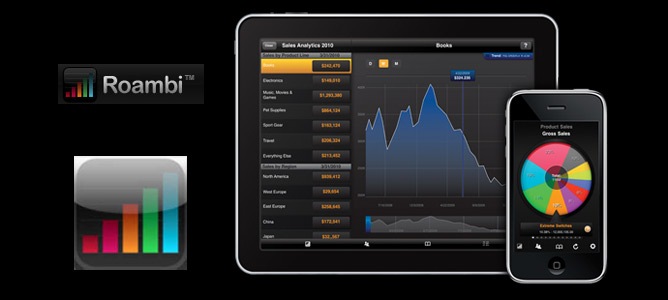
RoamBI – Beautiful Mobile BI for the iPad

RoamBI for iPhone, which I reviewed last year, has long been the best-looking mobile BI application available in the market. Now the folks at RoamBI have been one of the very first vendors worldwide to come out with an updated application for the iPad, and they provided me with one in order to test their brand-new version. First Impressions It’s as beautiful as its predecessor, and the new document formats available use the new expanded workspace... [Read More...]

Istanbul SAP BusinessObjects BI Forum Keynote

Turkey is investing heavily in business intelligence. It was  SAP’s 2nd-fastest growing region worldwide last year. Nine out of the top 10 Turkish banks use BusinessObjects, and 3 out of the top 4 telecom companies. I presented the keynote presentation at the SAP BusinessObjects BI Forum in Istanbul this morning, on the theme “The Clear Intelligence Future: Simple, Seamless, Social, and Strategic”. It covers the current trends in the... [Read More...]

Clear Intelligence Future: Simple, Seamless, Social, and Strategic

Please find below my presentation from today’s Gartner BI Summit EMEA in London. If you were there, thanks for attending, and I hope you enjoyed it as much as I did! You can download a pdf version here and the full PowerPoint file, including the Xcelsius dashboards here. Update: You can see a screencam recording of this presentation here.  Read More →

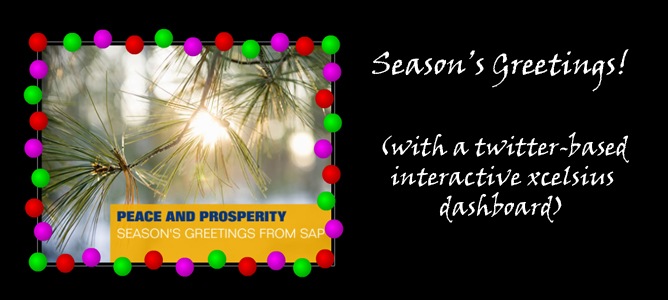
Season’s Greetings with Xcelsius!

Here is a season’s greetings dashboard that shows off some of the latest features of Xcelsius 2008 SP3. Tweet the color you’d like to see in the garland. The dashboard updates every 30 seconds. How long Twitter search takes to recognize the tweet can be pretty variable – but most of the time, it’s less than a minute. How it works: I set up an Excel XML Connection that grabs a feed from Twitter using the search term “#twitterlights”. The... [Read More...]

What’s New in SAP BusinessObjects Xcelsius 2008 SP3?

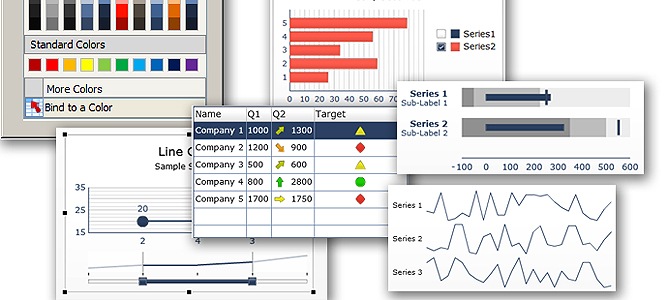
Here’s a summary of some of the new things in the latest version of Xcelsius 2008. I’ve borrowed liberally from the official documentation that you can download, along with the program, here. New Components Sparkline chart components. The new Sparkline chart is based on the Sparkline chart created by Edward Tufte and provides a method for displaying a one-dimensional range of numeric data in a way that is dense, takes up a small space, and can... [Read More...]

Real Real-Time Analytics

Here’s a great video from this weeks SAP Influencer Summit featuring the advantages of real-time, in-memory analytics. You can see the full list of recorded keynote sessions here (registration required). If you’re interested in business intelligence and analytics, you’ll find it mentioned in the presentations by Jim Snabe, Vishal Sikka, Marge Breya and John Wookey. The sessions featured interaction with Twitter very heavily, using the... [Read More...]

Auto-Tweet Directly from PowerPoint And Other Twitter Tool Updates

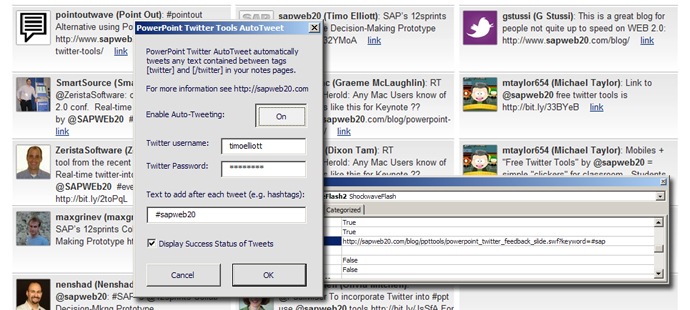
Another round of updates to the PowerPoint Twitter Tools, including: Auto-tweeting An additional feedback slide An option for secure internal use A customizable text-zooming tool The ability to set up values in advance (for example, to add the tools into a conference template) To access all these tools, please go to the main download page: http://timoelliott.com/blog/powerpoint-twitter-tools/. Here’s some information about each of the new features: PowerPoint... [Read More...]

Too Scared to Use the PowerPoint Twitter Tools? Moderation, Updating, New Options

I’ve posted a new set of tools to the PowerPoint Twitter Tools pages. The new features include: Moderated tweets New tool to tweet directly from PowerPoint New “mood meter” tool New voting pie chart tool Moderated Tweets and New Feedback Slide Options Are you scared of your audience? Me neither. But when I recently asked several senior executives if they were interested in using the PowerPoint Twitter Tools in their conference presentations,... [Read More...]

PowerPoint Twitter Tools Update: Make Some Noise!

New versions of the PowerPoint Twitter Tools, built using SAP BusinessObjects Xcelsius, are now available. If you’re using the PowerPoint template with the embedded widgets from this web site, you will automatically get the new versions. To access the new tools, download the PowerPoint templates from the main page. More detailed instructions are available here. New tool: PowerPoint Crowd Meter When you want to take a break from using Twitter for... [Read More...]

Integrating Live Twitter Streams into PowerPoint Using Xcelsius

As a frequent presenter, I’ve been wanting to add some more interaction to presentations for a long time. A couple of years ago, I used some .php code I found on the web and an early version of Xcelsius to display a ticker bar during the presentation that contained the subject lines of emails sent to a particular address. And after some frustration, I even managed to put together a simple voting-by-email service that was adapted by the BusinessObjects... [Read More...]

« Previous PageNext Page »

 
VERY cool #bigdata real-world event detection using #instagram, #twitter, etc http://t.co/p7tgnQV7 @spolu @gabhubert1 minute ago